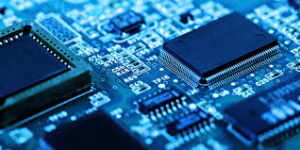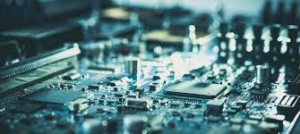
Motherboard Is The Main Printed Circuit Board Inside A Computer. It Connects The Processor, Memory, Storage, Graphics, And External Devices Into One Working Platform. In Simple Terms, The Motherboard Acts As The Foundation Of The Whole PC. It Routes Data, Delivers Power, And Helps Every Major Part Communicate Smoothly. When Users Search Terms Like Motherboard Image, Motherboard Picture, Motherboard Photo, Or Computer Motherboard Image, They Usually Want To Understand This Layout More Clearly And See Where Each Important Part Sits On The Board.
Why The Motherboard Matters In A Modern PC
A Good Computer Motherboard Does Much More Than Hold Components In Place. It Determines What CPU You Can Use, What Type Of RAM Fits, How Many SSDs You Can Install, And What Expansion Options Your System Supports. It Also Controls Rear I/O Connectivity, Internal Headers, Storage Interfaces, And Overall Upgrade Flexibility. Key Areas Usually Include The CPU Socket, VRM Power Section, DIMM Slots, PCIe Expansion Slots, M.2 Storage Slots, Chipset Area, And The Rear I/O Panel.
Computer Motherboard CPU, RAM, And Power Delivery
The Relationship Between The Computer Motherboard CPU And Memory Is One Of The Most Important Parts Of System Performance. The CPU Socket Must Match The Processor Platform, While The VRM Helps Deliver Stable Power To The Chip Under Different Workloads. RAM Sits Close To The CPU To Support Fast, Low-Latency Data Transfer. On Current Desktop Platforms, AMD’s AM5 Ecosystem Supports DDR5 Memory And PCIe 5.0, While Intel’s 14th Gen Core Platform Supports DDR4 Or DDR5 Depending On The Board, Along With PCIe 4.0 And PCIe 5.0 Support. DDR5 Also Brings Higher Speed, Better Efficiency, And Improved Data Integrity Features Compared With Older Memory Standards.
Expansion Slots, M.2 Storage, And High-Speed Connectivity
Modern Motherboards Give Users Much More Than Basic Processing Support. PCIe Slots Handle Graphics Cards, Capture Cards, Network Adapters, And Other Add-On Devices. M.2 Slots Support Compact SSDs, Especially NVMe Drives That Use PCIe Lanes For Fast Storage Performance. Many Boards Also Include USB-C, High-Speed USB Ports, Ethernet, Audio, And Sometimes Wi-Fi On The Rear I/O Panel. PCIe Remains Backward Compatible Across Generations, And Newer Standards Continue To Increase Bandwidth. USB Naming Has Also Shifted Toward Speed-Based Branding Such As USB 20Gbps And USB4 40Gbps, Which Makes Port Performance Easier To Understand For Buyers.
How To Read A Motherboard Image Correctly
When Someone Looks At Images Motherboard, Image Motherboard, Motherboard Image, Computer Motherboard Image, Motherboard Picture, Or Motherboard Photo, The Goal Is Usually Identification. Start With The CPU Socket Near The Top Center Area. Then Find The RAM Slots Beside It. After That, Look For The Long PCIe X16 Slot For The Graphics Card, The M.2 Slots For SSDs, The Chipset Heatsink, And The Rear I/O Ports Along The Edge. Once You Understand This Layout, A Motherboard Picture Becomes Much More Than A Product Photo. It Turns Into A Map Of System Performance, Compatibility, And Upgrade Potential.
Computer Mother Board, Computer Mainboard, And Mainboard Computer
In SEO Content, It Helps To Cover Natural Search Variations Such As Computer Mother Board, Computer Mainboard, And Mainboard Computer. These Phrases Point To The Same Core Product, But Different Users Type Them In Different Ways. By Blending These Variants Naturally Into The Article, You Can Expand Keyword Reach While Keeping The Content Readable And Professional. This Approach Works Especially Well For Informational Searches, Product Pages, Comparison Articles, And Buying Guides.
What To Check Before Choosing A Motherboard
If You Want To Choose The Right Board, Focus On The Factors That Affect Real Compatibility And Long-Term Value. Check The Motherboard CPU Socket First, Because Processor Compatibility Comes Before Everything Else. Then Review Memory Support, Especially If You Need A DDR5 Motherboard For A New Build. After That, Compare PCIe Slot Layout, GPU Clearance, M.2 Slot Count, Storage Support, Rear USB Speed, And Network Features Such As A Motherboard With Wi-Fi. Buyers Building Gaming Or Workstation Systems Often Search For A Gaming Motherboard, PCIe 5.0 Motherboard, M.2 NVMe Motherboard, ATX Motherboard, Or Micro ATX Motherboard, So Covering These Long-Tail Terms Can Improve Both Relevance And Search Visibility.
Conclusion
A Motherboards Is Not Just A Board Full Of Chips And Slots. It Is The Control Center That Determines How Well A Computer Performs, Expands, And Upgrades Over Time. Whether A Reader Starts With A Motherboards Image, A Computer Mother Board Search, Or A Technical Query About Computer Motherboards CPU Compatibility, The Real Answer Always Leads Back To One Thing: The Motherboards Connects Everything That Makes A PC Work. A Clear Understanding Of The CPU Socket, RAM Support, PCIe Lanes, M.2 Storage, And Rear I/O Will Help Any Buyer, Builder, Or Business Make Smarter Decisions.
B2B Inquiry CTA
For export quotations, bulk orders, or project cooperation, Get in Touch with our sales team.
Email: inquiry@devecomponents.com
WhatsApp: +86-15767857371