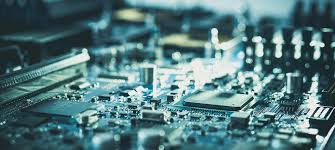
Motherboard Is The Main Circuit Board Inside A Computer. It Connects The CPU, Memory, Storage, Graphics Hardware, And Other Devices So They Can Work Together As One System. It Also Distributes Power From The Power Supply And Determines What Types Of Components Your PC Can Support. In Simple Terms, If You Want To Understand What Is A Motherboard, The Best Answer Is That It Serves As The Foundation Of The Entire Computer.
What Does A Motherboard Do?
The Main Job Of A Computer Motherboard Is To Link Hardware Components And Let Them Communicate Efficiently. The CPU Sits On The Board Through A Processor Socket, While RAM, Storage Drives, And Expansion Devices Connect Through Dedicated Slots And Ports. This Design Allows The System To Move Data, Deliver Power, And Support Daily Tasks Such As Gaming, Office Work, Content Creation, And General Computing.
Main Motherboard Components
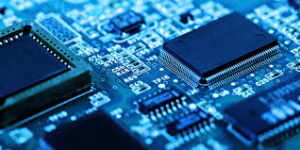
When People Search For Motherboard Components Or Parts Of A Motherboard, They Usually Want To Understand The Most Important Areas Of The Board. These Include The CPU Socket, RAM Slots, PCIe Slots For Graphics Cards And Other Expansion Cards, Storage Connections Such As SATA And M.2, Rear I/O Ports, And The Chipset. Most Desktop Motherboards Also Place The RAM Slots Near The CPU, And Many Boards Offer Two Or Four Memory Slots Depending On Their Size And Design.
What Is The Chipset On A Motherboard?
The Chipset Is One Of The Most Important Parts Of A Motherboard Because It Manages Data Flow Between The CPU, RAM, Storage, GPU, And Peripherals. You Can Think Of It As The Traffic Controller Of The Board. It Also Affects Compatibility, Which Means The Right Motherboard Chipset Helps Determine What Processor, Memory, And Features Your System Can Use.
Why Motherboard Form Factor Matters
The Motherboard Form Factor Refers To The Physical Size And Layout Of The Board. Common Options Include Extended ATX, ATX, Micro ATX, And Mini-ITX. Form Factor Matters Because It Affects Case Compatibility, Expansion Space, Cooling Options, And The Number Of RAM Slots Or Add-On Cards You Can Install. For Example, Larger Boards Usually Offer More Room For Upgrades, While Smaller Boards Focus More On Compact Builds.
BIOS, UEFI, And Startup Functions
A Motherboard Also Works With Firmware That Starts The PC Before The Operating System Loads. Traditional BIOS And Modern UEFI Help Initialize Hardware, Run Startup Checks, And Let Users Adjust Low-Level Settings Such As Boot Order, Memory Profiles, And Certain Performance Options. In Modern PCs, UEFI Usually Replaces Older BIOS Interfaces Because It Supports Easier Navigation, Faster Boot Behavior, And Better Security Features.
How To Choose The Right Motherboard For A PC Build
If You Are Choosing A Motherboard For A PC Build, You Should Focus On Compatibility First. The CPU Must Match The Socket, The Memory Must Fit What The Board Supports, And The Form Factor Must Fit The Case. You Should Also Check The Number Of RAM Slots, PCIe Slots, Storage Connectors, Rear Ports, And Upgrade Paths. A Gaming Motherboards May Also Emphasize Newer Standards, Better Expansion Support, And Features Such As Faster Memory Support Or More Advanced Connectivity.
Final Thoughts
If You Have Ever Asked What Is A Motherboard, The Short Answer Is That It Is The Core Platform That Holds A Computer Together. It Connects Major Hardware, Controls Compatibility, Supports Expansion, And Helps The System Start And Run Properly. Whether You Are Learning Basic Computer Hardware, Comparing Motherboards Types, Or Shopping For The Best Motherboards For Gaming Or Work, Understanding The Board’s Structure And Function Will Help You Make Better Decisions.
B2B Inquiry CTA
For export quotations, bulk orders, or project cooperation, Get in Touch with our sales team.
Email: inquiry@devecomponents.com
WhatsApp: +86-15767857371