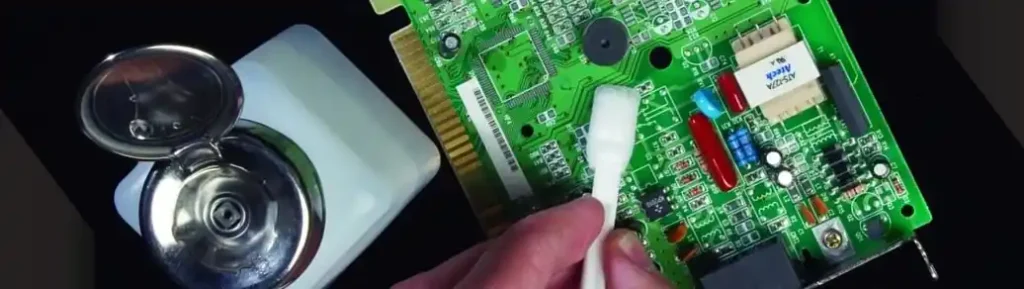
A clean circuit board is essential for stable performance, long service life, and reliable signal transmission. Dust, flux residue, grease, oxidation, and moisture can all reduce the quality of a board and even lead to electrical failure. If you want to know how to clean a PCB, this guide covers the safest methods, the best tools, and the right way to clean a printed circuit board without causing damage.
Whether you are handling prototypes, repair jobs, mass production boards, or finished PCBA products, proper PCB cleaning is a key part of electronics maintenance and quality control. This article explains how to clean a PCB board, how to remove flux residue from PCB, and how to clean corrosion off a circuit board using practical, safe, and effective steps.
Why PCB Cleaning Is Important
Many people think PCB cleaning only improves appearance, but it does much more than that. A dirty board may trap moisture, create leakage paths, attract more dust, and reduce insulation performance. Residue left after soldering can also affect reliability in sensitive or high-performance applications.
Good printed circuit board cleaning helps:
- Improve electrical reliability
- Remove solder flux and ionic contamination
- Prevent corrosion and oxidation
- Reduce the risk of short circuits
- Improve inspection and testing accuracy
- Extend the life of the PCB assembly
- Maintain product quality in industrial and commercial electronics
For electronics manufacturers, repair technicians, and OEM suppliers, learning how to clean circuit boards properly is part of professional process control.
Common Contaminants Found on a PCB
Before you choose a cleaning method, you need to understand what is on the board. Different contaminants require different cleaning materials and techniques.
Dust and Airborne Particles
Dust is one of the most common problems in electronics. It can settle on the board during storage, transport, assembly, or normal operation. Loose particles may block connectors or gather around fine-pitch components.
Flux Residue After Soldering
Flux residue is common after hand soldering, wave soldering, or rework. Some no-clean fluxes leave less visible residue, but the board may still need cleaning depending on the application. Many users search for how to clean PCB after soldering because leftover flux can affect inspection, appearance, and long-term reliability.
Oil, Grease, and Fingerprints
Boards touched during assembly or repair can collect oils from hands, light grease from tools, and surface contamination from production environments. These contaminants can attract dust and lower cleanliness levels.
Corrosion and Oxidation
Moisture, chemical exposure, battery leakage, or poor storage conditions may cause corrosion. If you need to know how to clean corrosion off PCB, you must work carefully because corrosion can damage traces, pads, and component leads.
Adhesive, Coating, or Process Residue
Some boards also carry residues from conformal coating, glue, manufacturing chemicals, or old repair materials. These need careful evaluation before cleaning.
Best Tools for Cleaning a PCB
Using the right tools is just as important as using the right method. Harsh tools can scratch the board, remove markings, or damage small surface-mount components.
Common tools and materials for PCB board cleaning include:
- High-purity isopropyl alcohol, preferably 90% or higher
- ESD-safe brush or anti-static cleaning brush
- Lint-free wipes
- Cotton swabs for detailed areas
- Compressed air or clean dry air blower
- Electronics-grade PCB cleaner
- Deionized water for specific professional cleaning processes
- ESD gloves and an anti-static wrist strap
If you are cleaning assembled boards, always use ESD protection. Static discharge can damage sensitive components even when the board looks fine on the surface.
How to Clean a PCB Step by Step
If you are looking for the best answer to how to clean a PCB safely, this method works well for most manual cleaning tasks.
Step 1: Turn Off All Power
Disconnect the board completely before cleaning. Remove the battery, unplug the device, and make sure there is no stored electrical energy in capacitors. Cleaning a powered board is dangerous and can permanently damage the circuit.
Step 2: Inspect the Printed Circuit Board
Before applying any liquid, examine the board closely. Look for visible dirt, white residue, sticky flux, corrosion, damaged pads, or loose components. This inspection helps you choose the right PCB cleaning method.
Step 3: Remove Loose Dust First
Use compressed air or a soft anti-static brush to remove dry dust and loose particles. Blow gently across the surface rather than forcing dust deeper under components. For light contamination, dry cleaning may be enough.
This is often the first step in how to clean a dusty PCB without unnecessary solvent use.
Step 4: Apply Isopropyl Alcohol
For oil, flux, fingerprints, or light residue, apply high-purity IPA using a lint-free wipe, soft brush, or cotton swab. Gently scrub the contaminated area until the residue dissolves.
Many technicians ask, can you clean a PCB with isopropyl alcohol? In most cases, yes. It is one of the most common and safest choices for manual circuit board cleaning because it evaporates quickly and leaves minimal residue.
Step 5: Clean Tight Areas Around Components
Use a small anti-static brush or swab to clean between IC pins, around connectors, under component edges, and along solder joints. This is especially important for surface-mount assemblies where residue may collect in narrow gaps.
When learning how to clean a printed circuit board, gentle motion matters more than pressure. Scrubbing too hard can damage solder masks or dislodge small SMD parts.
Step 6: Remove Dissolved Residue
After brushing, wipe the area with a lint-free cloth or fresh swab. Do not let dissolved contamination dry back onto the board. Repeat the process if necessary.
Step 7: Dry the PCB Completely
Allow the PCB to dry fully before reconnecting power. Use clean compressed air to speed drying if needed. Check under large components, connectors, and sockets where liquid may remain.
Complete drying is critical in PCB cleaning and maintenance. Even small amounts of trapped solvent or moisture can create problems when power is applied again.
How to Clean PCB After Soldering
A very common search term is how to clean PCB after soldering, especially after hand soldering or rework. Flux residue often remains around pads, through holes, and component leads.
To clean a PCB after soldering:
- Wait for the board to cool down
- Use high-purity IPA or a dedicated flux remover
- Wet the residue area lightly
- Scrub gently with an ESD-safe brush
- Wipe away dissolved flux with a lint-free wipe
- Repeat until the surface is clean
- Dry the board completely
If the board uses no-clean flux, cleaning may still be useful for visual quality, testing, or high-reliability electronics.
How to Remove Flux Residue From PCB
If your main concern is how to remove flux residue from PCB, the key is to dissolve the residue without damaging the board.
The best approach is usually:
- Use 90% to 99% isopropyl alcohol or electronics flux remover
- Clean the area with a soft anti-static brush
- Use fresh swabs or wipes to remove the dissolved material
- Avoid spreading the flux to other parts of the board
- Let the board dry fully before inspection or use
Heavy flux buildup may need more than one pass. In production environments, manufacturers often use ultrasonic or automated batch cleaning systems, but for manual work, IPA remains one of the most practical solutions.
How to Clean Corrosion Off a PCB
If the board has been exposed to moisture, battery leakage, or poor storage conditions, you may need to know how to clean corrosion off a PCB. Corrosion is more serious than dust or flux because it can destroy conductive surfaces.
To clean light corrosion:
- Disconnect power completely
- Remove loose corrosion with a soft brush
- Clean the area with isopropyl alcohol
- Use a swab to work carefully around affected pads and leads
- Inspect traces, vias, and solder joints for permanent damage
- Dry the board fully before testing
If corrosion has eaten through copper traces or lifted pads, cleaning alone will not solve the problem. The board may need repair, jumper wire restoration, pad repair, or component replacement.
Can You Use Water to Clean a PCB
Some users ask whether water is safe for printed circuit board cleaning. The answer depends on the application, the type of contamination, and how the board will be dried.
In professional production, deionized water may be used with compatible cleaning chemistry and controlled drying systems. However, tap water is not recommended because it contains minerals and impurities that can remain on the board.
For manual cleaning, isopropyl alcohol for PCB cleaning is usually the safer and easier option.
What Not to Do When Cleaning a PCB
Knowing how to clean a PCB board also means avoiding common mistakes.
Do Not Use Harsh Household Cleaners
General-purpose cleaners may contain water, salts, perfumes, or chemicals that leave conductive residue or damage plastics and coatings.
Do Not Use Metal Brushes
A metal brush can scratch the solder mask, damage copper, and create more problems than it solves. Always choose a soft ESD-safe brush.
Do Not Soak Sensitive Assemblies Without Checking Them
Some components, labels, relays, speakers, sensors, and connectors may not tolerate aggressive liquid cleaning.
Do Not Power the Board Too Early
Even if the surface looks dry, liquid can remain under chips, sockets, and connectors. Full drying is essential.
Do Not Ignore Static Protection
A board can be damaged by electrostatic discharge during cleaning. Use an ESD-safe workstation whenever possible.
Best PCB Cleaning Methods for Different Situations
Different contamination levels require different methods.
How to Clean a Dusty PCB
Use clean dry air and a soft anti-static brush. This is the best method for light dust with no sticky residue.
How to Clean a PCB With Flux Residue
Use high-purity IPA or electronics flux remover with a brush and lint-free wipe.
How to Clean an Oily Circuit Board
Use isopropyl alcohol or electronics cleaning solvent and work in small sections.
How to Clean Corroded PCB Areas
Use gentle brushing, alcohol cleaning, and then inspect for permanent damage or repair needs.
How to Clean a PCB in Manufacturing
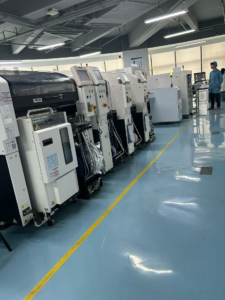
In professional PCBA production, cleaning may involve batch spray cleaning, vapor degreasing, or other controlled cleaning systems, followed by thorough drying and inspection.
PCB Cleaning Tips for Better Results
If you want the best results from PCB cleaning, follow these practical tips:
- Always start with the least aggressive method
- Use fresh wipes and clean brushes
- Replace dirty swabs often
- Work in a static-safe area
- Clean small areas at a time
- Inspect under strong lighting after cleaning
- Make sure the board is completely dry before testing
- Match the cleaning process to the flux type and board design
These simple habits help improve both cleanliness and product reliability.
When Professional PCB Cleaning Is Recommended
Manual cleaning works well for many boards, but some cases require more controlled handling. Professional printed circuit board cleaning services may be a better choice when the board is:
- High value
- High density
- Corroded by chemical exposure
- Used in medical, industrial, or automotive electronics
- Covered with heavy flux residue after assembly
- Part of a quality-critical PCBA production process
For these cases, the right cleaning process should be combined with inspection, drying control, and electrical testing.
FAQ About How to Clean a PCB
What is the best thing to clean a PCB with?
For most manual cleaning tasks, high-purity isopropyl alcohol and an ESD-safe brush are among the best options.
Can I clean a PCB with 70% isopropyl alcohol?
You can, but 90% or higher is usually better because it evaporates faster and leaves less moisture behind.
How do you clean a PCB after soldering?
Use IPA or flux remover, scrub gently with an anti-static brush, wipe off dissolved residue, and let the board dry completely.
How do you remove dust from a circuit board?
Use compressed air and a soft anti-static brush. Do not use excessive force.
Is flux residue bad for a PCB?
It can be. Some residues may affect appearance, cleanliness, and long-term reliability, especially in sensitive applications.
Can corrosion be removed from a PCB?
Light corrosion can often be cleaned, but severe corrosion may permanently damage traces, pads, and component leads.
Conclusion
If you want to know how to clean a PCB, the safest approach is to inspect the board, remove loose dust, clean residue with the right solvent, and dry everything completely before powering the board again. Proper PCB cleaning improves reliability, protects electrical performance, and extends the service life of the assembly.
Whether you are dealing with how to clean PCB after soldering, how to remove flux residue from PCB, or how to clean corrosion off a PCB, the right method always combines gentle tools, suitable cleaning materials, and careful drying. A clean printed circuit board is not just better looking. It is also more stable, more reliable, and better prepared for long-term use.